Autumn 3D Text Effect Style: A Comprehensive Design Evaluation
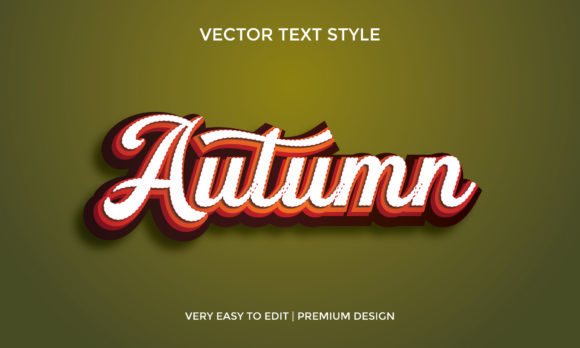
In the realm of graphic design, seasonal themes often require a specific visual language that evokes warmth, texture, and atmosphere. The Autumn 3D Text Effect Style represents a specialized category of typography designed to mimic the rich colors and depth associated with the fall season. This design asset is not merely a font; it is a comprehensive set of editable vector tools intended for professionals and hobbyists alike who need to create impactful, three-dimensional text graphics without starting from scratch.
This article evaluates the utility, technical specifications, and practical applications of this style. It aims to help designers determine if this specific toolset aligns with their current project requirements, considering factors such as file compatibility, editability, and aesthetic versatility.
Understanding the Autumn 3D Text Effect Style
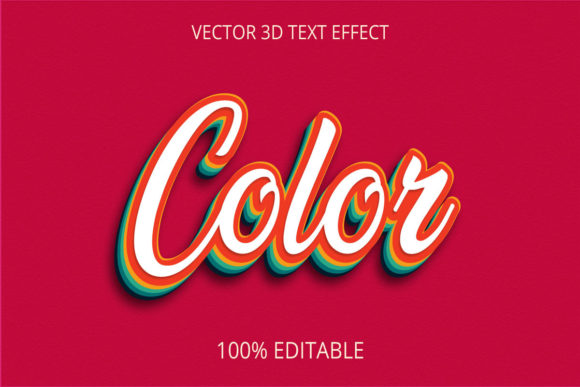
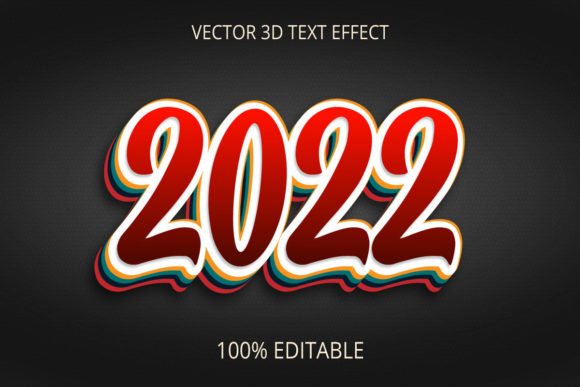
The core concept behind the Autumn 3D Text Effect Style involves applying complex layering, shading, and color gradients to standard typefaces to create a sense of physical depth. Unlike flat vector text, this style utilizes multiple layers of shapes to simulate lighting, shadows, and material textures reminiscent of autumn foliage, pumpkins, or crisp air.
These designs are typically constructed using Adobe Illustrator, a leading industry-standard software for vector graphics. By utilizing vector-based construction, the resulting text effects remain crisp regardless of how much they are scaled. This is a critical distinction from raster-based image filters, which can become pixelated when enlarged for large-format printing like billboards or banners.
Key Technical Features and Specifications
When evaluating design assets, the technical delivery format is often as important as the visual outcome. The Autumn 3D Text Effect Style package offers several distinct advantages regarding its file structure and editing capabilities.
- Vector-Based Architecture: The primary files are provided in EPS CC and native Ai Format. These formats ensure that every element remains scalable to any size without loss of quality. Whether the text is used for a business card or a storefront sign, the edges remain smooth.
- Full Editability: One of the most significant features is the "Fully Editable" nature of the add-ons. Users can replace words and fonts instantly. This flexibility allows designers to adapt the text for various campaigns, from "Happy Halloween" to "Grand Opening," without altering the underlying 3D structure.
- Color Customization: The design includes RGB color settings, allowing for precise digital reproduction. Furthermore, the ability to change colors means the effect is not limited strictly to orange and brown palettes. Designers can shift the mood by adjusting the hue while retaining the 3D depth.
- Font Flexibility: The package supports free fonts, reducing licensing costs for users. However, the design is structured so that any installed font can be substituted, making it compatible with a wide range of typographic choices.
- Comprehensive Deliverables: Buyers receive not only the source vector files but also JPG previews for quick reference. Additionally, the inclusion of a background provides context for how the text might look in a finished composition, though this can be removed for isolated use.
Practical Applications and Use Cases
Designers should consider where this specific style fits best within their workflow. The Autumn 3D Text Effect Style is particularly effective in scenarios requiring high visual impact with minimal time investment.
Seasonal Marketing Campaigns
The most obvious application is for autumn-themed promotions. Retailers, event organizers, and content creators often need to produce flyers, social media graphics, and email headers quickly. Using pre-made 3D text effects allows them to maintain a professional aesthetic without spending hours manually constructing shadows and highlights.
Event Branding and Signage
Because the files are vector-based, this style is ideal for large-scale print projects. Schools hosting fall festivals, coffee shops promoting pumpkin spice menus, or venues hosting autumn weddings can scale the text to fit window decals, posters, or stage backdrops. The ability to change the text to match specific event names makes it highly versatile.
Digital Content Creation
In the digital space, 3D text adds a layer of engagement that flat text lacks. For blogs, YouTube thumbnails, or website headers, the depth created by this style draws the eye. The included background elements can serve as base compositions for more complex layouts.
Benefits vs. Tradeoffs
To make an informed decision, it is necessary to weigh the advantages against potential limitations.
Primary Benefits
The most significant advantage is efficiency. Creating a convincing 3D effect from scratch requires advanced skills in gradient meshes, blending modes, and manual shadow placement. This style streamlines that process, offering a "plug-and-play" solution that yields professional results immediately. The fact that it is fully editable reduces the risk of needing to purchase new assets for minor text changes.
Potential Tradeoffs
While the style is robust, there are considerations. The complexity of the vector paths may result in larger file sizes compared to simple text layers. If a designer needs to optimize a web page for speed, these heavy vector files might require simplification before export. Additionally, because the style relies on specific color palettes to achieve the "autumn" look, achieving a completely different aesthetic (such as a winter theme) might require significant color manipulation that could alter the intended light and shadow balance.
Decision-Making Considerations
Before selecting this asset, designers should evaluate their specific goals and technical environment.
Situations Where This Style is a Strong Fit
This toolset is highly recommended if you are working on a deadline-driven project that requires a high-quality 3D appearance. It is also an excellent choice for users who possess basic knowledge of Adobe Illustrator but lack the expertise to construct complex 3D typography manually. If your project involves print media where resolution is paramount, the vector EPS and Ai formats ensure the output will be sharp.
When Alternatives May Be Worth Considering
If your project requires a purely minimalist aesthetic, the detailed shading of a 3D style might feel too heavy. In such cases, flat design typography or simple drop-shadow techniques might be more appropriate. Furthermore, if you are working in software that does not support Adobe Illustrator files (such as certain mobile apps or older web editors), you may need to convert the vectors to raster images first, which limits scalability. Finally, if you require a non-seasonal theme (e.g., futuristic or industrial), a generic 3D text effect might offer better customization options than one specifically tuned for autumn tones.
Final Assessment
The Autumn 3D Text Effect Style serves as a functional bridge between creative ambition and technical limitation. By providing fully editable, scalable, and professionally styled vector assets, it empowers designers to produce high-impact visuals efficiently. The inclusion of both source files and previews ensures transparency in the product's capabilities.
For those looking to enhance their autumn-themed communications with depth and texture, this style offers a reliable solution. Its compatibility with Adobe Illustrator and the freedom to modify fonts, colors, and text content make it a versatile addition to any design toolkit. However, users should remain mindful of file management and the specific aesthetic constraints inherent to the seasonal theme to ensure the final output meets their strategic goals.